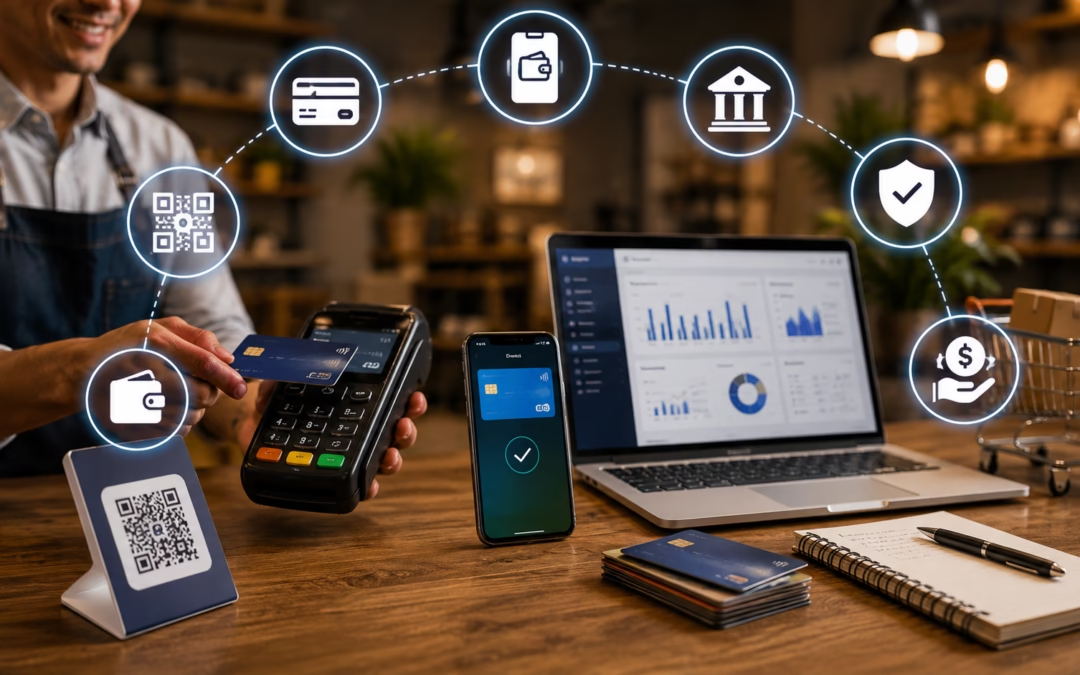
When it comes to getting paid, small businesses in 2026 must carefully choose the right mix of payment methods and options that align with customer expectations and business goals. The right payment stack not only simplifies transactions but also improves customer experience, speeds up cash flow, and boosts conversions.
So, how do you build a Modern Payment System without making your operations complex? In this guide, we’ll explore the best payment options and methods for small businesses in 2026 and how to choose what works best for you.
Payment Methods vs. Payment Options: What’s the Difference?
A payment method is the actual way funds are transferred from the customer to the business. Examples include credit cards, debit cards, UPI, digital wallets, and bank transfers.
A payment option, on the other hand, is the interface or format used to accept those methods. This includes online checkout pages, POS Machines, Remuneration links, QR codes, and invoicing systems.
Understanding this difference helps businesses build a flexible and efficient payment system.
Why Offering Multiple Payment Options Matters
1. Increased Conversions
Customers prefer flexibility. If their preferred method isn’t available, they may abandon the purchase. Offering options like UPI, cards, and wallets ensures higher checkout completion rates.
2. Better Customer Experience
A smooth and fast Remuneration process improves satisfaction and builds trust. Features like one-click checkout or QR payments make transactions effortless.
3. Faster Cash Flow
Digital payments reduce delays compared to traditional methods like checks. Faster settlements mean better liquidity for small businesses.
4. Reduced Late Payments
Payment links, automated reminders, and recurring billing help ensure customers pay on time without manual follow-ups.
5. Competitive Advantage
Businesses offering modern Solutions stand out. A seamless checkout experience can be the deciding factor for customers.
Best Payment Methods by Business Type
For Online Businesses
Credit & Debit Cards
Digital Wallets (Google Pay, PayPal)
BNPL (Buy Now Pay Later)
UPI & Bank Transfers
For Retail & In-Person Stores
Tap-to-Pay / Contactless
POS Card Machines
QR Code Payments
Cash
For Service-Based Businesses
Payment Links
Invoicing
Bank Transfers (UPI/ACH)
Recurring Billing
For Mobile-First Businesses
Digital Wallets
Saved Card Details
UPI Payments
Mobile-optimized checkout
How to Choose the Right Payment Mix
Step 1: Identify Your Sales Channels
Are you selling online, offline, or both? Your compensation setup should match your business model.
Step 2: Define Priorities
Focus on:
Cost efficiency
Speed of payouts
Customer preferences
Fraud protection
Step 3: Compare Payment Providers
Look for:
Transparent pricing
Easy integration
Strong security
Good customer support
Understanding Costs & Fees
Most digital payments come with processing fees. Here’s what to expect:
Credit Cards: 1.5%–3.5% per transaction
Debit Cards: Lower than credit cards
UPI: Often free or minimal charges
Wallets: Similar to card fees
BNPL: Higher fees due to credit risk
How to Reduce Costs
Promote low-cost methods like UPI
Optimize checkout to reduce failed payments
Negotiate rates with providers
Monitor hidden charges
Security & Fraud Prevention
Security is critical in 2026. Customers expect safe transactions.
Key Measures
PCI compliance
Tokenization
Secure payment gateways
Limited data access
Fraud Prevention Tools
OTP authentication
CVV & address checks
AI-based fraud detection
Transaction limits
Strong security not only protects your business but also builds long-term customer trust.
Common Mistakes to Avoid
1. Offering Too Few Options
Limited Remuneration methods can lead to lost sales.
2. Offering Too Many Options
Too many choices can overwhelm customers and slow down checkout.
3. Choosing the Wrong Payment Processor
A poor-fit provider can increase costs and reduce efficiency.
4. Lack of Transparency
Customers should clearly see available remuneration options before checkout.
Implementation Checklist
Set up a payment processor account
Choose key payment methods (UPI, cards, wallets)
Integrate checkout or POS system
Enable fraud protection tools
Test transactions before going live
Why Choose SelectivePay?
SelectivePay is a reliable payment solution designed to simplify transactions for small businesses in 2026. It offers seamless integration, multiple Payment Methods including cards, UPI, and digital wallets, along with advanced security features. With transparent pricing, fast settlements, and user-friendly tools, SelectivePay helps businesses improve cash flow, enhance customer experience, and scale operations efficiently.
Final Thoughts
In 2026, the best payment strategy for small businesses is all about flexibility, speed, and security. Customers expect seamless, fast, and reliable payment experiences across all channels. By offering the right mix of remuneration methods and options, you can improve customer satisfaction, increase revenue, and stay ahead of the competition. The key is to keep things simple, cost-effective, and aligned with how your customers prefer to pay.
Frequently Asked Questions (FAQs)
1. What is a payment method? Ans: It is the way customers transfer money, such as cards, UPI, or wallets.
2. What is a payment option? Ans: It is the interface used to accept payments, like POS systems or online checkout.
3. Why should small businesses offer multiple payment methods? Ans: To increase conversions and improve customer experience.
4. Which payment methods are best for online businesses? Ans: Cards, digital wallets, UPI, and BNPL options.
5. What payment options are ideal for retail stores? Ans: POS machines, QR codes, contactless payments, and cash.
Retail Payment Processing: What Merchants Should Evaluate in 2026
Retail payment processing involves much more than placing a card terminal at the checkout counter. A retailer may accept payments at a countertop register, through a mobile device, on an ecommerce website, by telephone, through a payment link, or across several store locations.
The right payment setup should support the way the business actually operates. It should also make checkout easier for customers, provide useful reporting, protect payment data, and connect appropriately with the retailer’s point-of-sale, inventory, accounting, and ecommerce systems.
Before selecting or changing a payment provider, retailers should evaluate the complete payment workflow—not simply the advertised processing rate.
Start With Every Payment Channel You Use
Begin by identifying where and how customers pay.
A retail business may need to support:
Countertop payments
Mobile or line-busting payments
EMV chip cards
Contactless cards and mobile wallets
Ecommerce checkout
Telephone or mail orders
Payment links
Recurring or card-on-file payments
ACH or bank-account payments
Multiple store locations
Not every retailer needs every channel. The goal is to build a payment environment that supports the business without adding unnecessary equipment, software, or fees.
A merchant that operates both physical stores and an online shop should also evaluate whether customer profiles, payment tokens, refunds, reporting, and inventory information can be managed consistently across channels.
Confirm POS and Software Compatibility
A payment terminal and a point-of-sale system are not automatically compatible simply because both accept card payments.
Before selecting equipment or changing processors, determine:
Which processors and gateways the POS supports
Whether the payment connection is integrated or standalone
Whether sales amounts automatically pass to the terminal
How refunds, voids and tip adjustments are handled
Whether customer and payment tokens can be retained
How inventory and transaction information are synchronized
Whether the merchant can change payment providers without replacing the entire POS
An integrated system can reduce manual entry and reconciliation work. A standalone terminal may provide greater flexibility in some situations but can require staff to enter transaction amounts separately.
The best structure depends on the retailer’s software, transaction volume, locations, employees and operating requirements.
Create a Consistent Checkout Experience
Customers expect checkout to be fast and straightforward, whether they are paying in person or online.
The selected equipment and processor should be evaluated for the payment methods customers actually use, including chip cards, contactless payments, debit cards and mobile wallets. Retailers should also confirm how the system handles:
Returns and exchanges
Partial refunds
Split payments
Receipts
Customer signatures
Tips, when applicable
Taxes and discounts
Offline or interrupted connectivity
These details affect both the customer experience and the retailer’s ability to reconcile transactions accurately.
Connect In-Store and Online Payments Carefully
Retailers that sell through both physical and digital channels need more than an ecommerce checkout page. They need a payment gateway and operating process that fit the website, processor, fraud controls and fulfillment workflow.
Important questions include:
Does the gateway support the ecommerce platform?
Can it securely store customer payment tokens?
Does it support Apple Pay or Google Pay when needed?
How are online refunds and cancellations handled?
Can store employees view online orders?
Are online and in-store deposits reported separately?
Can transaction data be exported to accounting software?
What fraud tools are available for card-not-present transactions?
The appropriate gateway depends on the merchant’s website, transaction volume, recurring-payment needs, risk profile and required integrations.
Make Reporting and Reconciliation Easier
Retailers need reporting that explains what happened—not simply a monthly total.
Useful reporting may include:
Sales by location
Sales by terminal or employee
Card, debit and alternative-payment totals
Batches and deposit dates
Refunds and chargebacks
Gateway and processor fees
Ecommerce versus in-store activity
Commercial-card activity
Settlement exceptions
For multi-location businesses, consistent reporting can reduce the time spent matching POS totals, processor batches and bank deposits.
Before changing providers, the merchant should ask to see sample reports and confirm who will have access to them.
Protect Revenue and Payment Data
Security should be considered at every payment channel.
Depending on the system and transaction type, available controls may include:
EMV acceptance
Tokenization
Point-to-point encryption
Address Verification Service
Card-security-code collection
User permissions
Fraud screening
3-D Secure
Chargeback alerts
Transaction limits and velocity controls
The appropriate controls for an in-person retail transaction may differ from those needed for ecommerce, telephone orders or recurring payments.
Retailers should also understand which parts of their environment affect PCI DSS responsibilities and what support is available for completing required compliance steps.
Review the Total Cost of Processing
A low advertised rate does not necessarily mean a low overall processing cost.
Retailers should review:
Interchange
Card-brand assessments
Processor markup
Monthly and annual fees
Gateway fees
Equipment costs
PCI-related fees
Chargeback fees
Batch fees
Statement fees
Software or integration fees
Early-termination provisions
The most useful comparison is the merchant’s total processing cost divided by total card volume, along with a review of the transaction types that are driving the cost.
Retailers that accept corporate, purchasing or commercial cards should also determine whether their system can transmit Level II or Level III datahttps://selectivepay.com/services/interchange-optimization-link/ where applicable. Missing enhanced data can cause eligible commercial transactions to qualify at more expensive interchange categories.
Questions to Ask Before Changing Payment Providers
Before making a change, ask:
Will the proposed provider work with our current POS and ecommerce systems?
Which equipment must be replaced?
Who owns or controls stored customer payment tokens?
How will refunds, returns and chargebacks be handled?
What reports will accounting and management receive?
What are all recurring, transaction and equipment fees?
How long will implementation and staff training take?
Who provides support for the terminal, gateway, POS and processor?
What happens if the internet connection is interrupted?
Can the setup support additional locations or sales channels later?
A payment proposal should clearly answer these questions before the merchant signs an agreement.
How Selective Pay Helps Retail Merchants
Selective Pay reviews the merchant’s current statements, payment channels, card mix, software environment and operational requirements before recommending a processing structure.
The review may include:
Processor and interchange cost analysis
POS and gateway compatibility
Equipment requirements
Ecommerce and card-not-present workflows
ACH and alternative-payment options
Reporting and reconciliation
Commercial-card qualification opportunities
Security and chargeback controls
The objective is to identify a payment setup that fits the retailer’s business rather than forcing the retailer into a one-size-fits-all system.
Request a Retail Payment Review
Retailers considering a new POS, payment gateway, ecommerce connection or processing provider should begin with a review of their current environment.
Selective Pay can evaluate a recent merchant statement, identify cost and qualification issues, and discuss which payment options fit the retailer’s software and operating workflow.
In the modern digital economy, businesses need efficient payment processing to run smoothly. But not all businesses are treated the same way by banks and payment gateways. Some are labeled as “high risk,” which impacts their card payment processing, payment costs, and level of scrutiny. As the global e-commerce market grows and regulatory requirements change, understanding high-risk merchant accounts has become more relevant in 2026.
In this blog, we will discuss what High-Risk Merchant Accounts are, why businesses are labeled as high risk, the costs and difficulties associated with high-risk merchant accounts, and how businesses can mitigate them effectively.
What is a High-Risk Merchant Account?
A high-risk merchant account is a type of payment processing account that is made for businesses that are more prone to fraud, chargebacks, or regulatory issues. The account type enables businesses that are considered to be at high risk to process credit and debit card payments when other payment processors might not. The designation is usually based on the perceived fear of disputes, refunds, or financial difficulties that are associated with the nature of the business or the industry.
Since the fear of liability is higher, these accounts are usually associated with higher costs and more stringent terms than regular merchant accounts. Despite the name, it does not necessarily mean that the business is engaging in any form of malpractice. In most cases, it is simply a matter of the type of products or services that are being offered or the nature of the transactions, especially in the online or card-not-present model.
Why Businesses Are Considered High Risk
There is no central governing body that determines the risk levels; rather, payment processors have their own set of criteria. However, there are a number of factors that are commonly used to determine the risk level.
1. Industry Type: Some industries are naturally more prone to higher levels of scrutiny due to the potential for fraud or the complexity of laws. These include, but are not limited to, online gaming, adult entertainment, subscription-based services, cryptocurrency trading, travel services, and dietary supplement sales. Other industries, such as Tobacco Payment Processing, firearms, or forex trading, have also been historically identified due to regulatory or reputation-related issues.
2. Chargeback History: High levels of chargeback disputes can indicate a financial threat. A merchant with a chargeback ratio above 1% may be considered high risk due to potential financial liability to the processor.
3. Business Model Issues: Subscription-based services, free trial offers that convert to paid subscriptions, or large upfront payments can all be sources of chargeback disputes and, therefore, financial threats.
4. Geographic or Operational Issues: Merchants operating in areas with high rates of fraud or those that lack transaction history, such as new businesses with limited credit history, can also be considered it.
5. Transaction Issues: High-dollar transactions or irregular income streams can make chargebacks more expensive and unpredictable, further increasing financial threat.
Costs and Requirements in 2026
High-risk merchant accounts tend to have different financial and operational requirements compared to low-risk merchants.
1. Higher Processing Fees: Whereas standard merchant processing rates could be around 2-3%, merchant accounts could range from 2.5% to 5% or even higher, depending on the industry and the service provider. Chargeback fees could also be higher, ranging between $20 and $100 per chargeback, among other costs.
2. Rolling Reserves: The processor may also set aside 5-10% of the transaction amount for several months to account for any possible disputes, only to release the money later on a rolling basis.
3. Application Complexity: The application process could take days instead of minutes, and it could involve a lot of paperwork, such as bank statements or credit checks.
4. Volume Caps and Monitoring: The processor could set a monthly cap on the number of transactions or monitor the refund patterns to limit threats. All these are a result of the additional security measures that service providers must put in place to handle risks.
Industry Trends Shaping 2026
The following trends are currently affecting high-risk merchant processing:
1. Stronger Compliance Obligations: Security protocols such as PCI DSS are intended to minimize fraud risk, although widespread adoption has been slow, with only a third of companies being fully compliant in recent research. This increases the burden on merchants to prove the secure processing of payment information.
2. Growth of Alternative Payment Rails: Technologies such as blockchain-based payment settlement and stablecoins are being developed as alternative payment channels in certain sectors, providing faster settlement but requiring end-users to assume responsibility for dispute resolution and consumer protection.
3. Enhanced Monitoring and Fraud Solutions
Payment processors are increasingly using transaction analysis, monitoring, and fraud protection software to monitor merchants and minimize disputes.
How Businesses Can Manage Risk
Businesses in these industries can still thrive by taking a proactive approach to risk management:
Lower chargeback rates by being open with policies, using descriptive billing names, and providing good customer service.
Improve compliance with payment security standards and regulatory bodies.
Select experienced providers who have expertise in dealing with particular industries.
Keep good financial documentation to instill confidence during the underwriting and renewal processes.
By following these tips, businesses can increase their chances of approval, reduce fees in the long run, and develop long-term relationships with their processors.
Why Choose SelectivePay?
Selective Pay is the ideal choice for high-risk merchant account payments because it offers secure, reliable, and fully compliant payment processing solutions tailored specifically for high-risk industries. With advanced fraud prevention tools, fast approvals, high acceptance rates, and multi-currency processing, it helps businesses reduce chargebacks, minimize risk, and maximize revenue. Its flexible underwriting, transparent pricing, and dedicated account management ensure smooth onboarding and uninterrupted transactions, even for complex business models. By combining advanced technology with personalized support, Selective Pay empowers high-risk merchants to scale confidently, maintain compliance, and deliver seamless payment experiences to their customers.
Conclusion
High-risk merchant accounts are an important factor that allows businesses in challenging or new industries to take part in the global online economy. Although being labeled as high-risk incurs additional expenses, tight regulation, and difficulties, it also gives businesses access to the necessary Payment Processing infrastructure. In 2026, with the ever-changing nature of the online commerce industry, businesses need to have a clear understanding of how risk classification works and how to effectively manage it in order to achieve long-term success.