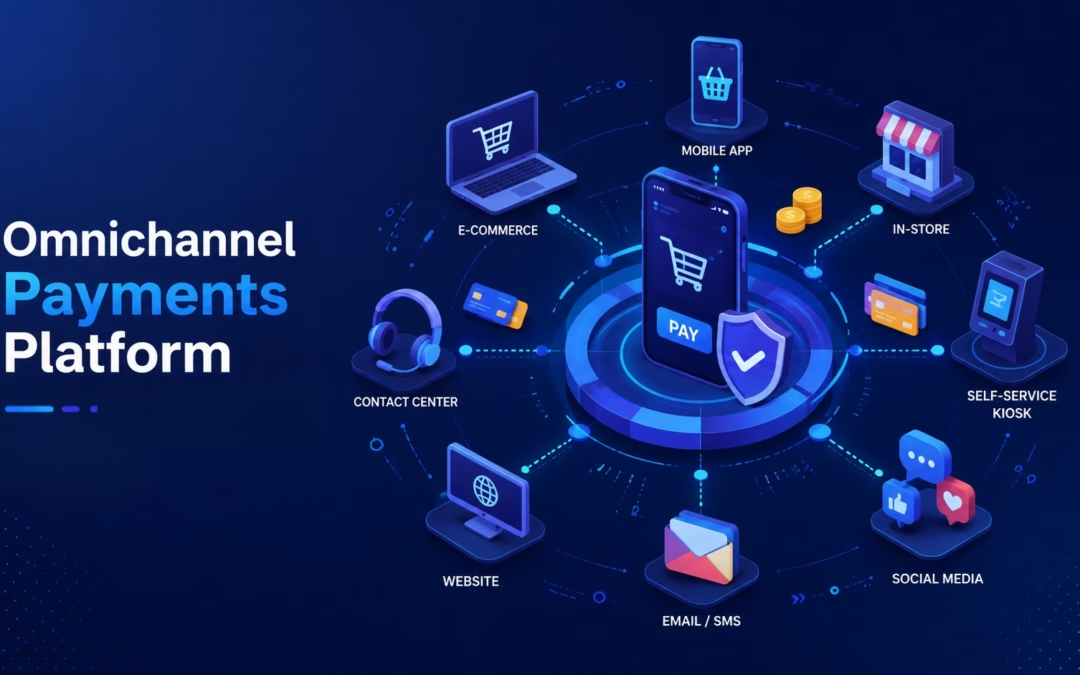
Businesses increasingly accept payments through multiple channels, including websites, mobile devices, payment links, virtual terminals, and in-person point-of-sale systems. An effective omnichannel payment strategy connects these channels through compatible processors, gateways, software integrations, and reporting tools. Selective Pay helps merchants evaluate and implement the payment technology that best fits their business model, transaction mix, and existing systems.
How Selective Pay Supports Omnichannel Payments
Selective Pay works with payment processors, gateways, point-of-sale providers, and software platforms to help merchants build a coordinated payment environment.
The appropriate setup depends on where payments are accepted, which systems the business already uses, reporting requirements, security needs, and whether transactions occur online, in person, by invoice, or through recurring billing.
Rather than requiring every merchant to use one proprietary platform, Selective Pay helps identify compatible technologies and configure a payment solution around the merchant’s operational needs.
Omnichannel Payment Capabilities
Depending on the processor, gateway, software, and hardware selected, an omnichannel payment environment may support:
Online payments through websites, hosted checkout pages, or ecommerce integrations
In-person payments through compatible point-of-sale systems and payment terminals
Mobile payment acceptance using supported devices and applications
Virtual terminal payments for telephone, mail-order, and office-based transactions
Payment links or electronic invoices for remote customer payments
Recurring billing and card-on-file payments when supported by the selected platform
Centralized reporting when the connected systems provide consolidated transaction data
The value of an omnichannel setup depends on how well the selected systems work together. Merchants should evaluate whether transaction data, customer information, reporting, invoicing, recurring billing, and settlement details can be accessed consistently across the channels they use.
Available features vary by processor, gateway, software provider, and integration. Selective Pay helps merchants compare those capabilities and identify a configuration that supports their operational and reporting requirements.
What Selective Pay Helps Merchants Evaluate
Payment Channel Compatibility
Determine whether the proposed solution supports the merchant’s required channels, including ecommerce, point of sale, mobile, virtual terminal, invoicing, and recurring payments.
Software and Integration Requirements
Review compatibility with the merchant’s website, accounting system, ERP, point-of-sale software, or other business applications. Integration methods may include supported APIs, hosted payment pages, plugins, or direct software partnerships.
Customer Payment Experience
Evaluate checkout flow, supported payment methods, mobile usability, payment links, stored payment credentials, and the consistency of the customer experience across channels.
Security and PCI DSS Responsibilities
Review tokenization, encryption, hosted payment options, fraud-management tools, and how the proposed configuration may affect the merchant’s PCI DSS scope. Final compliance requirements are determined by the merchant’s acquirer and applicable payment brands.
Reporting and Operational Visibility
Confirm what transaction, funding, settlement, chargeback, and reconciliation information is available and whether reporting can be consolidated across the selected systems.
Funding and Settlement Expectations
Funding schedules and settlement timing vary by processor, merchant profile, transaction type, banking relationship, and underwriting terms. Merchants should review the actual funding terms associated with the proposed account rather than assume that every solution provides faster settlement.
Potential Cost and Operational Benefits
An omnichannel payment strategy may reduce unnecessary complexity when payment channels, reporting, and business systems are properly coordinated. The actual benefits depend on the merchant’s transaction mix, current processing arrangement, software requirements, and the technologies selected.
Selective Pay can review processing statements, pricing, interchange qualification, gateway fees, equipment, and integration requirements to identify areas where costs or manual processes may be improved.
Savings, funding schedules, and operational results vary by merchant and are not guaranteed. Any recommendation should be evaluated against the merchant’s current agreement, processing history, and business requirements.
Building the Right Omnichannel Payment Strategy
The best omnichannel payment setup is not necessarily one platform from one provider. It is a coordinated combination of processors, gateways, software integrations, payment devices, security tools, and reporting capabilities that supports how the business actually operates.
Selective Pay helps merchants evaluate those components, identify compatibility requirements, and implement a payment environment designed around their sales channels, customers, and internal systems.
Frequently Asked Questions (FAQs)
Frequently Asked Questions
Does Selective Pay offer one proprietary omnichannel platform?
No. Selective Pay works with payment processors, gateways, point-of-sale providers, and software platforms to help merchants assemble a compatible payment solution.
Which payment channels can be supported?
Available channels may include ecommerce, in-person payments, virtual terminals, mobile payments, payment links, electronic invoicing, card-on-file transactions, and recurring billing. Availability depends on the selected processor, gateway, software, and merchant account configuration.
Can Selective Pay integrate with an existing business system?
Selective Pay can review compatibility with websites, accounting systems, ERPs, point-of-sale software, and other applications. Integration options depend on the APIs, plugins, hosted payment pages, and partnerships supported by the selected technology providers.
Can transaction reporting be consolidated?
Some platforms can consolidate reporting across multiple payment channels, while others require separate portals or reports. Selective Pay helps merchants evaluate what transaction, funding, settlement, and reconciliation information will be available.
Will an omnichannel setup reduce processing costs?
It may create opportunities to improve pricing, interchange qualification, workflow, or reporting, but results vary. Selective Pay reviews the merchant’s current processing arrangement and operational requirements before recommending changes.
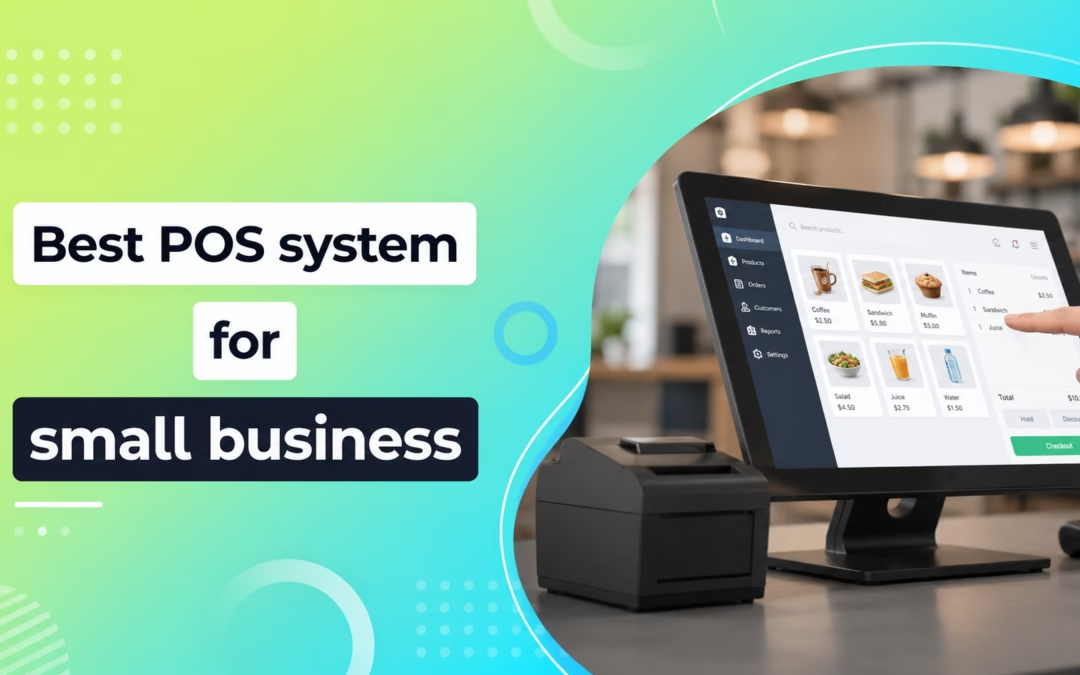
Choosing the right POS system can make or break your small business operations. Modern POS systems are no longer just cash registers; they integrate payments, analytics, customer management, and even marketing tools. According to industry insights, top systems like Shopify, Square, and Clover dominate due to their flexibility and ability to support both in-store and online sales.
Shopify POS stands out as the Best Overall Solution for Small Businesses, especially those operating both online and offline. Its biggest strength lies in seamless integration with Shopify’s eCommerce platform, allowing you to manage inventory, customers, and orders in one place.
Key Features:
Omnichannel selling (online + in-store)
Real-time inventory sync
Built-in analytics and reporting
Extensive app ecosystem
Why choose it?
If you run an online store or plan to scale digitally, it offers unmatched flexibility and growth potential.
Best Budget-Friendly POS: Square POS
Square POS is ideal for startups and small businesses looking for a cost-effective solution. It offers a free plan and easy setup, making it perfect for entrepreneurs with limited budgets.
Key Features:
No monthly subscription (basic plan)
Easy-to-use interface
Mobile and offline payments
Built-in invoicing tools
Why choose it?
Square is widely praised for its simplicity and affordability, especially for new businesses. Many users highlight its flexibility and “free to start” model as a major advantage.
Best for Growing Businesses: Clover POS
Clover POS is a feature-rich system designed for businesses ready to scale. Clover POSoffers customizable hardware and software solutions made for different industries.
Key Features:
Customizable hardware options
App marketplace for extensions
Employee and inventory management
Advanced reporting tools
Why choose it? Clover is known for its flexibility and ability to adapt to different business types, making it a solid choice for growing operations.
Best for Retail & Inventory Management: EPOS Now
EPOS Now is a powerful solution forRetail Businesses that need advanced inventory tracking and reporting capabilities.
Key Features:
Real-time inventory management
Cloud-based reporting
Multi-store support
Integrated payment processing
Why choose it? If your business deals with large inventories or multiple locations, it provides the tools to stay organized and efficient.
Best for Mobility & On-the-Go Sales: Square Handheld POS
For businesses that require mobility, such as food trucks, salons, or pop-up shops, the Square handheld POS is a game-changer.
Key Features:
Portable and lightweight
Accepts all payment types
Long battery life
Built-in barcode scanner
Why choose it? It enables businesses to accept payments anywhere, improving customer experience and reducing wait times.
Product Comparison Table
Attribute
Shopify POS Go All-in-One
Square Register POS System
Clover Station Duo POS System
EPOS Now POS System Bundle
Square Handheld POS Device
Best For
Omnichannel businesses
Startups & small shops
Growing businesses
Retail inventory
Mobile businesses
Pricing Model
Subscription-based
Free + transaction fees
Hardware + software fees
Bundle pricing
Device + transaction fees
Mobility
High
Medium
Medium
Low
Very High
Inventory Management
Advanced
Basic
Advanced
Advanced
Basic
Ease of Use
Easy
Very Easy
Moderate
Moderate
Easy
How to Choose the Right POS System
Selecting the right POS System depends on your business type and goals. Here are key factors to consider:
1. Business Type
Retail, restaurants, and service businesses have different needs. Choose a system made for your industry.
Your POS should grow with your business, supporting multiple locations and advanced features.
4. Integrations
Ensure compatibility with accounting tools, CRM software, and eCommerce platforms.
5. Ease of Use
A simple interface reduces training time and improves staff efficiency.
Final Thoughts
The Best POS system for your small business depends on your unique requirements. If you’re looking for an all-in-one solution, Shopify POS is the top choice. For budget-conscious startups, Square offers unbeatable value. Meanwhile, Clover and EPOS Now cater to businesses that need advanced features and scalability. Ultimately, investing in the right One POS System is not just about processing payments; it’s about improving efficiency, enhancing customer experience, and driving long-term growth.
Frequently Asked Questions (FAQs)
1. What is a POS system? Ans: A POS system is a tool that helps businesses process payments and manage sales operations.
2. Which POS system is best overall? Ans: Shopify POS is considered the best overall for omnichannel businesses.
3. What is the most affordable POS system? Ans: Square POS is budget-friendly with a free basic plan.
4. Which POS is best for growing businesses? Ans: Clover POS is ideal for businesses looking to scale.
5. What POS system is best for retail inventory? Ans: EPOS Now is excellent for advanced inventory management.
In today’s digital-first marketplace, selling online is no longer optional; it’s essential. Whether you run a small Shopify store or a global retail brand, your success depends heavily on how smoothly you accept payments. Customers expect secure, fast, and hassle-free checkout experiences. If the payment process feels slow or risky, they leave.
That’s where an E-commerce Merchant Accountand credit card processing system becomes critical. It allows businesses to accept card payments, digital wallets, and other electronic commerce payments while ensuring funds move securely from the buyer to the seller.
With global ecommerce sales expected to surpass trillions of dollars in the coming years, choosing the right Ecommerce Payment Processing solution can increase conversions, reduce fraud, and improve customer satisfaction.
Read on to understand everything about e-commerce payment systems, how they work, the benefits they offer, and how to choose the best payment processor for e-commerce businesses.
What is E-commerce Payment Processing?
E-commerce payment processing is the technology and financial network that enables online businesses to Accept Payments from customers through websites, apps, or digital storefronts.
Simply put, it connects four key parties:
The customer making the purchase
The merchant selling the product
The payment processor handling the transaction
The banks involved in sending and receiving funds
When a customer enters their card details at checkout, the E-commerce Payment Processor securely verifies the payment, requests approval from the issuing bank, and transfers funds to the merchant account.
What Is a Merchant Account?
A merchant account is a special business bank account used to temporarily hold funds from card transactions before transferring them to your business bank account.
It acts as the middle layer between your Customer’s Transaction method and your company’s funds.
Why Merchant Accounts Matter:
Accept credit and debit card payments
Handle chargebacks and refunds
Improve payment security
Speed up settlement times
Support recurring billing and subscriptions
If you’re serious about scaling online sales, a merchant account is essential for smooth Credit Card Processing for E-commerce.
Key Components of an E-Commerce Payment System
An effective E-commerce Payment Platform usually includes three core parts:
1. Payment Gateway
The payment gateway collects customer transaction information and encrypts it securely.
It acts like the digital checkout counter.
2. Payment Processor
The processor sends transaction data between banks, authorizes transactions, and manages settlements.
3. Merchant Account
The approved transaction is deposited into the merchant account before final payout.
Together, these components create a seamless Electronic Fee Processing experience.
How Does Online Payment Work?
Here is the typical Process of Online Payment System transactions:
1. Customer Places Order
The buyer selects products and moves to checkout.
2. Payment Information Entered
They use a credit card, debit card, wallet, or bank transfer.
3. Payment Gateway Encrypts Data
Sensitive information is secured using SSL encryption.
4. Processor Sends Authorization Request
The payment processor forwards details to the card network and issuing bank.
5. Bank Approves or Declines
The bank checks available funds and fraud risk.
6. Merchant Receives Confirmation
If approved, the order is completed instantly.
7. Funds Settled
Money moves into the merchant account and later to the business bank account.
This complete cycle often takes only seconds.
Popular Ecommerce Payment Options
Modern businesses need multiple Transaction Options for Ecommerce stores.
Credit and Debit Cards
Still the most common method worldwide.
Digital Wallets
Examples include Apple Pay, Google Pay, and PayPal.
Understand transaction fees, monthly charges, and hidden costs.
Fast Settlements
Cash flow matters.
Multi-Currency Support
Important for international sales.
Easy Integration
Works with Shopify, WooCommerce, Magento, or custom websites.
Security Compliance
Must support PCI-compliant payment processing for ecommerce.
Strong Customer Support
Fast issue resolution is essential.
Ecommerce Payments for B2B Businesses
For wholesale or enterprise stores, B2B e-commerce payment processing often requires:
Invoicing tools
ACH payments
Net payment terms
Bulk order support
Recurring billing
ERP integrations
B2B transactions need to differ from retail ecommerce.
Future Trends in E-Commerce Payments
The future of commerce payments is changing quickly.
One-Click Checkout
Faster buying experiences.
AI Fraud Prevention
Smart systems detect risks instantly.
Embedded Finance
Payments built directly into platforms.
Mobile-First Payments
Most e-commerce transactions now begin on mobile devices.
Localized Global Payments
Businesses accept local payment methods worldwide.
Why Choose SelectivePay?
Choose SelectivePay for secure, scalable, and cost-effective payment solutions tailored to modern businesses. From seamless credit card processing to cash discount programs and reliable merchant services, it helps reduce fees while improving customer transactions. With dedicated support, advanced technology, and flexible solutions, it empowers businesses to grow with confidence.
Final Thoughts
A powerful E-commerce Merchant Account and Credit Card Processing setup is more than just a way to collect money; it’s a growth engine for your business. From improving checkout speed to increasing trust, reducing fraud, and supporting global sales, the right E-commerce Payment Processing solution gives your store a competitive edge. If your checkout process feels outdated, expensive, or unreliable, now is the time to upgrade. In e-commerce, every second at checkout can mean the difference between a sale and an abandoned cart.
Accepting online payments is crucial for companies of all sizes in the modern digital economy. Understanding it can have a big impact on your profitability, regardless of whether you run an e-commerce store, a SaaS platform, a retail establishment, or a service-based firm. While it may seem straightforward, the fees associated with each transaction can vary widely between providers and pricing models.
This guide will help you understand Payment Processing Fees, compare common pricing structures, and identify ways to reduce costs while maintaining a seamless transaction experience for your customers.
What Are Payment Processing Fees?
Payment processing costs are the charges businesses pay to accept electronic payments such as credit cards, debit cards, digital wallets, and bank transfers. These costs cover the infrastructure and services required to securely move money between customers, banks, card networks, and merchants.
Every time a customer makes a payment, several parties are involved in authorizing, processing, and settling the transaction. As a result, businesses pay costs that typically include:
Interchange fees
Network assessment fees
Processor markup fees
Additional service fees
Effective payment processor comparison begins with an understanding of these elements.
Components of Payment Processing Fees
1. Interchange Fees
They are charged by the cardholder’s issuing bank and usually represent the largest portion of processing costs. These costs compensate banks for managing transactions and fraud risks. Factors affectingInterchange Feesinclude:
Card type
Transaction method
Merchant category
Card network
Transaction data quality
These costs are generally fixed by card networks and cannot be negotiated.
2. Network Assessment Fees
Card networks such as Visa and Mastercard charge assessment costs for routing and processing transactions. These costs are standardized across providers.
3. Processor Markup
It add their own markup to cover technology, reporting, customer support, security features, and settlement services. Unlike interchange costs, processor markups can often be negotiated, especially for businesses with high transaction volumes.
Comparing Common Payment Processing Pricing Models
Pricing schemes vary depending on the payment provider. Flat-rate pricing and interchange-plus pricing are the two most popular models.
Flat-Rate Pricing
Flat-rate pricing charges the same fee for every transaction, regardless of the underlying costs.
Example:
2.9% + $0.30 per transaction
Advantages:
Simple and predictable pricing
Easy accounting and reconciliation
Ideal for small businesses and startups
Disadvantages:
Limited transparency
Potentially higher costs as transaction volume increases
Interchange-Plus Pricing
Interchange-plus pricing separates the actualInterchange Feefrom the processor’s markup.
Example:
Interchange + 0.25% + $0.10 per transaction
Advantages:
Greater transparency
Better visibility into actual costs
Often more cost-effective for growing businesses
Disadvantages:
More complex statements
Costs can fluctuate depending on transaction types
Businesses with higher payment volumes often benefit from interchange-plus pricing because it provides more control and cost optimization opportunities.
Typical Payment Processing Fee Comparison
Payment Method
Typical Fee Range
Credit and Debit Cards
1.7% – 3.5% per transaction
ACH Bank Transfers
Lower percentage or fixed fee
Digital Wallets
Similar to card processing fees
Alternative Payment Methods
Varies by provider
Online transactions generally cost more than in-person transactions because they carry a higher fraud risk.
Hidden Fees Businesses Should Watch For
Many businesses focus only on transaction rates but overlook additional charges that can increase overall processing costs.
Common hidden costs include:
PCI compliance fees
Chargeback costs
Monthly minimum fees
Payment gateway costs
Cross-border transaction fees
Early termination costs
Reporting and account management fees
Before signing with it, review the complete fee schedule to avoid unexpected expenses.
How Payment Processing Fees Affect Profitability
Even small differences inPayment Processing Rates can have a significant impact on business margins over time. For example, a company processing $500,000 annually could save thousands of dollars by reducing costs by just a fraction of a percentage point.
They are typically deducted before funds are deposited into your account, directly affecting cash flow and profitability. Understanding settlement times and fee structures helps businesses forecast revenue more accurately.
Tips to Reduce Payment Processing Costs
Negotiate Processor Markups
If your business processes a high volume of transactions, ask providers for customized pricing.
Choose the Right Pricing Model
Small businesses may benefit from flat-rate pricing, while larger businesses often save money with interchange-plus pricing.
Reduce Chargebacks
Implement fraud prevention tools, clear billing descriptors, and excellent customer service to minimize disputes.
Encourage Lower-Cost Payment Methods
ACH transfers often cost less than credit card transactions.
Regularly Review Your Provider
As your business grows, reassess your processor to ensure you’re receiving competitive rates.
Why Choose Selective Pay?
Selective Pay is a trusted payment processing partner that helps businesses reduce costs while ensuring secure, reliable, and scalable transaction acceptance. With competitive pricing, advanced fraud protection, seamless gateway integrations, and dedicated customer support, we deliver customized solutions for businesses across various industries. Whether you’re a startup or an established enterprise, Selective Pay simplifies payment management and supports long-term business growth.
Conclusion
Payment processing fees are an unavoidable part of accepting digital payments, but understanding how they work can help businesses make smarter financial decisions. By comparing pricing models, identifying hidden costs, and negotiating where possible, companies can significantly reduce expenses and improve profit margins. The best payment processor isn’t necessarily the cheapest; it’s the one that offers the right balance of pricing, security, reliability, and scalability for your business needs.
Frequently Asked Questions (FAQs)
1. What is a typical payment processing fee?
Ans: Most businesses pay between 1.7% and 3.5% per transaction for credit and debit card payments, depending on the provider and payment method.
2. Which pricing model is better: Flat-rate or interchange-plus?
Ans: Flat-rate pricing is easier to understand and works well for small businesses, while interchange-plus pricing offers greater transparency and can be more cost-effective for larger businesses.
3. Can payment processing fees be negotiated?
Ans: Yes. While interchange and network fees are fixed, processor markups can often be negotiated, especially for businesses with substantial transaction volumes.
4. Why do online transactions cost more than in-person payments?
Ans: Online transactions carry a higher fraud risk because the card is not physically present, leading to higher processing costs.
5. What hidden fees should businesses watch for?
Ans: Common hidden fees include PCI compliance charges, chargeback fees, gateway fees, monthly minimums, cross-border fees, and account maintenance fees.
Online businesses need a payment setup that supports a secure, dependable checkout experience while integrating with the systems used to manage orders, customers, subscriptions, and reporting.
Selective Pay helps ecommerce merchants evaluate merchant accounts, payment gateways, processors, hosted checkout options, and software integrations based on their products, transaction volume, risk profile, and operational requirements.
How Selective Pay Supports Ecommerce Merchants
Selective Pay is a merchant-services and payment-technology provider that works with processors, gateways, acquiring partners, and software platforms. The appropriate ecommerce configuration depends on the merchant’s website, shopping cart, products, transaction volume, recurring-payment needs, and underwriting profile.
Rather than requiring every business to use one gateway or platform, Selective Pay helps identify compatible options and structure the merchant account, pricing, security tools, and integrations around the business’s requirements.
Key Ecommerce Payment Capabilities to Evaluate
Secure Payment Processing
Ecommerce security depends on the merchant, payment gateway, processor, hosting environment, and any third-party service providers involved in the payment flow. Merchants should evaluate the following controls and responsibilities:
Tokenization of stored payment credentials
Hosted payment pages, redirects, or secure embedded payment fields
Encryption during transmission
Address Verification Service and card-security-code checks
Fraud-screening and transaction-monitoring tools
Account controls, user permissions, and reporting access
The provider’s current PCI DSS compliance status
The merchant’s remaining PCI DSS validation responsibilities
Using a compliant third-party provider may reduce the number of PCI DSS requirements that apply directly to the merchant, but it does not eliminate the merchant’s responsibility to validate compliance and oversee its service providers. The applicable questionnaire and requirements should be confirmed with the merchant’s acquirer or compliance program.
E-commerce Platform Integration
Integration options depend on the merchant’s website, shopping cart, payment gateway, processor, and software provider. Available methods may include hosted checkout pages, secure payment fields, plugins, APIs, or direct platform integrations.
Selective Pay helps merchants review compatibility requirements and identify an approach that fits the existing website and order-management process.
Recurring Billing and Card-on-File Payments
Subscription and membership businesses may require recurring billing, account updater services, stored payment credentials, and customer self-service tools.
These capabilities vary by gateway and processor. Selective Pay helps merchants evaluate available recurring-payment features and the associated pricing, security, and integration requirements.
Omnichannel Payment Capabilities
Some ecommerce merchants also accept payments by telephone, invoice, mobile device, virtual terminal, or at a physical location. Depending on the selected technologies, a coordinated payment environment may support:
Online checkout payments
Virtual terminal transactions
Payment links and electronic invoices
Card-on-file and recurring payments
Mobile and in-person payments
Transaction, funding, and settlement reporting
The degree of consolidation varies by provider. Some systems offer centralized reporting, while others require merchants to use separate portals.
What Selective Pay Helps Ecommerce Merchants Evaluate
Pricing and Processing Costs
Selective Pay can review processing statements, gateway charges, transaction fees, interchange qualification, monthly fees, equipment, and integration costs. Pricing recommendations are based on the merchant’s transaction mix, business type, processing history, and required technology.
Funding and Settlement Terms
Funding schedules vary by processor, merchant profile, transaction type, banking relationship, and underwriting terms. Selective Pay helps merchants review the proposed funding schedule and understand any conditions that may affect settlement timing.
Reporting and Reconciliation
Reporting capabilities vary by processor, gateway, and software platform. Merchants should confirm what transaction, funding, settlement, chargeback, and reconciliation data will be available and whether it can be exported or integrated with accounting and business systems.
Commercial Card and Interchange Optimization
Some ecommerce merchants accept commercial, corporate, purchasing, or business cards. When supported by the processor, gateway, card type, and transaction, submitting additional Level II or Level III data may improve interchange qualification.
Selective Pay helps eligible merchants evaluate whether enhanced data, transaction fields, gateway configuration, and processing procedures are being used correctly. Actual qualification and savings depend on the transaction, card network rules, merchant category, and processing platform.
Why Ecommerce Businesses Work With Selective Pay
Selective Pay helps merchants compare payment processors, gateways, pricing structures, security tools, integrations, and support options rather than forcing every business into one payment platform.
Areas we can help evaluate include:
Merchant-account and underwriting requirements
Ecommerce gateway and shopping-cart compatibility
Hosted checkout and tokenization options
Recurring billing and card-on-file capabilities
Fraud-management and transaction-screening tools
Pricing, gateway fees, and interchange qualification
Reporting, settlement, and reconciliation requirements
Customer and technical support responsibilities
The appropriate solution depends on the merchant’s products, sales channels, processing history, transaction volume, risk profile, and existing business systems.
Planning for the Future of Ecommerce Payments
Ecommerce payment requirements continue to change as merchants add mobile experiences, subscriptions, payment links, alternative checkout methods, and new fraud controls.
A flexible payment architecture should allow the business to update its gateway, processor, integrations, and security tools as its needs evolve. Selective Pay helps merchants evaluate available technologies and identify compatibility or migration requirements before making changes.
Final Thoughts
Choosing an ecommerce payment solution requires more than selecting a recognizable gateway. Merchants should evaluate underwriting, pricing, integration compatibility, checkout experience, security responsibilities, fraud tools, recurring-payment requirements, reporting, and funding terms.
Selective Pay helps online businesses compare those components and structure a merchant-services arrangement around how the business actually accepts and manages payments. Features, pricing, approval, funding, and processing capabilities vary by merchant and provider.
Frequently Asked Questions (FAQs)
Is Selective Pay suitable for small ecommerce businesses?
Yes. Selective Pay works with businesses of different sizes, but available processors, gateways, pricing, and approval terms depend on the merchant’s products, processing volume, risk profile, and technology requirements.
Can recurring billing be supported?
Recurring billing and card-on-file capabilities may be available through selected gateways and processors. Features, pricing, account-updater services, and integration options vary by provider.
Can ecommerce merchants accept ACH payments?
ACH acceptance may be available through compatible providers, subject to underwriting, business type, transaction requirements, and integration capabilities.
What fraud-management tools may be available?
Depending on the gateway and processor, available tools may include tokenization, Address Verification Service, card-security-code checks, transaction screening, velocity controls, device data, and manual review options. No fraud tool eliminates all payment risk.
Can Selective Pay work with an existing ecommerce website?
Selective Pay can review compatibility with the merchant’s shopping cart, website platform, accounting system, gateway, and other business applications. Available integration methods depend on the technology providers involved.