In today’s digital economy, secure online transactions are no longer optional; they are essential. Whether you run an eCommerce store, SaaS platform, subscription business, or marketplace, choosing a payment gateway offered by a provider that can demonstrate current PCI DSS compliance can protect your customers’ financial data while improving trust and compliance. PCI DSS (Payment Card Industry Data Security Standard) is a globally recognized security framework designed to safeguard cardholder information and reduce payment fraud risks.
As cyber threats continue to rise in 2026, businesses are prioritizing gateways with advanced fraud detection, tokenization, encryption, and global compliance capabilities. Leading providers such as Stripe, PayPal, Adyen, Square, and Authorize.Net have become popular due to their strong security standards and flexible payment solutions.
What Makes a Payment Gateway PCI DSS Certified?
A PCI DSS-certified payment gateway follows strict security guidelines established by major card networks like Visa, Mastercard, American Express, Discover, and JCB. These standards include:
Encryption of cardholder data
Secure network architecture
Vulnerability monitoring
Access control systems
Fraud prevention tools
Regular security testing
Many modern gateways also provide tokenization and hosted payment pages that reduce a merchant’s PCI compliance burden. According to recent industry discussions, businesses prefer providers that handle sensitive payment data externally so merchants avoid storing card details themselves.
Top PCI DSS Certified Payment Gateways Compared
1. Stripe
Stripe is one of the most developer-friendly payment gateways available today. It is PCI DSS Level 1 certified, which is the highest level of certification in the payments industry. Stripe supports over 135 currencies and offers advanced APIs for custom payment experiences.
Key Features
AI-powered fraud detection with Stripe Radar
Subscription billing tools
Mobile wallet support
Global payment processing
Advanced developer APIs
Best For
SaaS companies, startups, marketplaces, and global eCommerce brands.
Pricing
Typically starts around 2.9% + $0.30 per transaction for online card payments.
Pros
Excellent API documentation
Fast integration
Strong global support
Scalable for enterprise growth
Cons
Account reviews can occasionally delay payouts for high-risk industries. Community discussions highlight that transparency in business operations helps reduce these issues.
2. PayPal
PayPal remains one of the most trusted payment gateways worldwide. Its PCI DSS-Compliant infrastructure and strong consumer trust make it ideal for businesses seeking fast setup and easy checkout experiences.
Key Features
One-click checkout
Venmo integration
Buyer and seller protection
International payments
Easy eCommerce integration
Best For
Small businesses, freelancers, and online stores targeting international customers.
Pricing
Around 2.89% + $0.29 for standard card transactions in many regions.
Pros
High customer trust
Quick onboarding
Supports multiple payment methods
Cons
Higher dispute rates
Limited customization compared to Stripe
3. Adyen
Adyen is a premium enterprise payment platform known for omnichannel payment solutions and advanced fraud prevention. Large global brands rely on Adyen because of its scalability and unified commerce tools.
Key Features
Unified online and in-store payments
Real-time fraud monitoring
Multi-currency support
Risk management tools
Enterprise-grade analytics
Best For
Large enterprises and multinational businesses.
Pricing
Custom interchange++ pricing based on transaction volume.
Pros
Excellent international capabilities
Strong compliance tools
Advanced reporting system
Cons
Complex onboarding
Better suited for high-volume merchants
4. Square
Square combines payment processing with POS systems, making it ideal for hybrid businesses operating both online and offline. Square maintains PCI DSS compliance while offering simple pricing and easy setup.
Key Features
Integrated POS system
Free online store builder
Inventory management
Contactless payments
Next-day payouts
Best For
Retail stores, restaurants, and SMBs.
Pricing
Usually around 2.6% + $0.10 for in-person payments.
Pros
User-friendly interface
Excellent hardware ecosystem
Fast onboarding
Cons
Limited international reach
Fewer advanced APIs
5. Authorize.Net
Authorize.Net is one of the oldest and most reliable PCI DSS-compliant payment gateways. Owned by Visa, it remains a trusted option for businesses requiring traditional merchant account setups.
Key Features
Advanced Fraud Detection Suite
Recurring billing
Customer information manager
ACH and eCheck support
Hosted payment forms
Best For
Established businesses need flexible merchant account integrations.
Pricing
Approximately a $25 monthly fee plus transaction charges.
Scalability: Choose a gateway that grows with your business.
Businesses handling high transaction volumes may benefit from enterprise platforms like Adyen, while startups often prefer Stripe due to flexibility and ease of development. Small retailers may find Square more practical because of its integrated POS ecosystem.
Why Work With Selective Pay?
Selective Pay helps merchants evaluate payment gateways, processors, and integrations based on how they accept payments, the systems they use, and their PCI DSS responsibilities. We can help configure hosted payment pages, tokenization, and other tools designed to reduce the amount of cardholder data handled directly by the merchant. Final PCI scope and validation requirements are determined by the merchant’s acquirer or payment brand.
Final Thoughts
PCI DSS-certified payment gateways ensure secure, compliant online transactions and build strong customer trust in 2026. Stripe is ideal for developers, PayPal for quick setup, Adyen for enterprises, Square for retail businesses, and Authorize.Net for reliable traditional processing. The right choice depends on business needs, transaction volume, and scalability, helping reduce fraud risks and improve customer confidence effectively.
Frequently Asked Questions (FAQs)
1. What is PCI DSS certification? Ans: PCI DSS certification is a global security standard that protects cardholder payment data during online transactions.
2. Why is a PCI DSS-certified payment gateway important? Ans: It helps reduce fraud risks, improves customer trust, and ensures secure payment processing.
3. Which payment gateway is best for startups in 2026? Ans: Stripe is often preferred by startups because of its flexible APIs and easy integration.
4. Which payment gateway is best for small businesses? Ans: PayPal and Square are popular choices for small businesses due to simple setup and user-friendly tools.
5. Does PCI DSS certification guarantee complete security? Ans: No, but it significantly improves payment security by following strict compliance standards and fraud prevention practices.
You’re not alone if you thought a merchant services provider and a payment processor were the same thing. In reality,Merchant Services covers the full set of tools and solutions that allow businesses to accept electronic payments, from POS systems to online gateways. A merchant services provider helps set up and manage these systems so your business can accept payments smoothly. Most business owners use these terms interchangeably, but they play very different roles in your payment ecosystem. Understanding the difference helps you choose the right partner and avoid unnecessary fees, confusion, and operational gaps. Let’s break it down in a simple, business-first way.
What are Merchant Services?
A broad definition of Merchant Services includes all the tools, technologies, and support systems that allow a business to accept electronic payments.
In simple terms, they are everything that makes payment acceptance possible at the front end.
This can include:
Point-of-sale (POS) systems
Card terminals (swipe, chip, tap)
Online payment gateways
Mobile payment solutions
Invoicing and billing tools
Business reporting dashboards
A Merchant Services Provider supplies these tools and ensures they work smoothly for your business. They help you set up your payment infrastructure and often provide ongoing technical support.
For example, if you run a retail store or restaurant, your card machine and billing software are part of your merchant services setup.
Without them, you wouldn’t have a way to “accept” payments in the first place.
Payment processing is the invisible engine that powers every card or digital transaction.
It refers to the step-by-step system that:
Verifies customer payment details
Checks for sufficient funds
Communicates with banks and card networks
Approves or declines the transaction
Transfers funds into your merchant account
Every time a customer taps their card or enters details online, a complex chain of financial communication begins instantly.
Here’s what happens in a typical transaction:
The customer makes a payment
Payment data is sent securely to the processor
The processor contacts the issuing bank
The bank approves or declines the transaction
Funds are transferred to your business account
A payment processor (or credit card processor) ensures this entire process happens in seconds, with security, compliance, and fraud protection built in.
Without Payment Processing, no digital transaction would ever complete successfully.
Merchant Services vs Payment Processing: The Core Difference
The easiest way to understand the difference is this:
Merchant services = tools you use to accept payments
Payment processing = a system that moves the money
Think of it like this:
Merchant services are the “front desk” of your business
Payment processing is the “banking system behind the walls.”
They are deeply connected, but they are not the same thing.
Some companies specialize in one area, while others (like SelectivePay) offer both under a single platform.
If your business accepts any form of digital payment—credit cards, debit cards, UPI, wallets, or online transfers- you need both systems working together.
Without merchant services:
You have no way to accept payments
Without payment processing:
You can accept payments, but money won’t move to your account
Together, they create a complete Payment Gateway ecosystem that keeps your business running smoothly.
Should You Choose Separate Providers or One Unified Platform?
You have two options:
1. Separate Providers
You can choose one company for merchant services and another for payment processing.
While this gives flexibility, it can also lead to:
Complex integrations
Multiple support teams
Confusing pricing structures
Slower issue resolution
2. Unified Provider (Recommended)
A single provider handles both merchant services and payment processing.
This approach offers:
Simplified onboarding
One point of contact for support
Transparent pricing
Better system compatibility
Faster transaction troubleshooting
This is where companies like SelectivePay stand out by combining both services into one seamless solution.
Benefits of Partnering with a Full-Service Provider
1. Transparent Pricing & Better Control
When both services come from one provider, pricing becomes easier to understand and manage. No hidden layers, no multiple billing cycles, just clarity.
2. Faster Setup & Easier Integration
Instead of coordinating between two vendors, everything is handled in one system. This reduces setup time and technical friction.
3. Stronger Security & Fraud Protection
Unified systems allow better monitoring of transactions, helping detect fraud, chargebacks, and suspicious activity more efficiently.
4. Better Customer Support
Instead of being bounced between providers, you get one support team that understands your entire payment ecosystem.
5. Scalable for Growth
As your business grows, adding new payment methods, online checkout options, or POS Transaction upgrades becomes significantly easier.
Final Thoughts
You don’t choose between Merchant Services and payment processing; you need both to run modern transactions smoothly. The real choice is between separate providers or an integrated solution. An all-in-one platform like Us simplifies operations, improves efficiency, and supports scalability, ensuring payments stay seamless, secure, and growth-focused for your business.
Frequently Asked Questions (FAQs)
1. What are merchant services? Ans: They are tools and systems that help businesses accept electronic payments.
2. What is payment processing? Ans: It is the system that verifies, approves, and transfers payment funds.
3. What is the main difference between the two? Ans: Merchant services handle payment acceptance, while processing handles fund transfer.
4. Do businesses need both services? Ans: Yes, both are essential for completing digital transactions.
5. Can one provider offer both services? Ans: Yes, many providers offer integrated merchant services and payment processing.
If you’re reading this, you probably know the daily struggle: rising card processing fees, shrinking margins, and customers expecting fast checkout every single time. Every swipe eats into your profits, and by the end of the month, those fees add up fast.
That’s exactly why Cash Discounting is becoming one of the smartest business moves in 2026.
A modern POS system for cash discounting doesn’t just process payments. It automatically applies cash discounts, handles compliant receipts, manages inventory, tracks sales, and keeps your checkout line moving smoothly.
But with so many POS options available, how do you know which one is actually worth your investment?
I’ve researched the market to bring you this list of the Top POS Systems for Cash Discounting in 2026. Whether you run a retail store, restaurant, gas station, or convenience shop, there’s a solution here for you.
1. SelectivePay POS – Best Overall for Cash Discounting
When businesses look for a POS designed specifically for cash discounting, SelectivePay stands out as one of the most practical choices in 2026.
What it is: A smart POS and payment solution designed to help businesses offset processing fees through compliant cash-discounting programs.
Why we like it: It combines simple billing, fast transactions, transparent pricing, and modern hardware support.
Who it is for: Retail stores, convenience stores, salons, Restaurants, and service businesses.
Pros:
Built for cash discounting programs
Easy setup and intuitive dashboard
Real-time reporting
Hardware + payment processing support
Great for growing businesses
Cons:
Best value when used as a full payment ecosystem
May require onboarding for advanced features
2. Clover POS – Best for Retail Flexibility
What it is: A highly customizable Clover POS System with strong hardware options.
Why I like it: Clover works well for businesses wanting sleek terminals and flexible payment workflows.
Who it is for: Retail stores, cafes, and service businesses.
Pros:
Excellent hardware options
App marketplace for add-ons
Supports cash discount programs through processors
Cons:
Monthly costs can add up
Pricing depends on the reseller
3. Square POS – Best for Small Businesses
What it is: One of the easiest POS Systems to get started with.
Why I like it: Fast onboarding, no-friction setup, and a reliable checkout experience.
Who it is for: Small retailers, pop-up stores, and startups.
Pros:
User-friendly
Fast setup
Great mobile POS tools
Cons:
Transaction fees can be high
Limited native cash discounting options
4. Lightspeed POS – Best for Advanced Inventory
What it is: A robust POS built for complex inventory businesses.
Why I like it: If you manage thousands of SKUs, Lightspeed gives serious control.
Who it is for: Jewelry stores, sporting goods, bike shops, and multi-location retail.
Pros:
Deep reporting
Excellent inventory management
Scalable for chains
Cons:
Higher monthly pricing
Learning curve for new users
5. Toast POS – Best for Restaurants
What it is: A restaurant-first POS system with ordering, kitchen management, and payments.
Why I like it: It’s designed specifically for food service businesses.
Who it is for: Restaurants, bars, cafes, food trucks.
Pros:
Great restaurant workflow
Online ordering integrations
Supports custom pricing models
Cons:
Best only for restaurants
Can get expensive with add-ons
6. Revel Systems – Best for Multi-Location Businesses
What it is: Enterprise-grade POS for growing businesses.
Why I like it: Strong for chains that need centralized management.
Who it is for: Franchises, chains, large retailers.
Pros:
Multi-store controls
Detailed analytics
Custom workflows
Cons:
Higher setup costs
Better suited for mid-size and large businesses
7. NCR Silver – Best for Established Retailers
What it is: A trusted POS brand with a long-standing presence.
Why I like it: Stable infrastructure and solid retail tools.
Who it is for: Retailers wanting a known legacy brand.
Pros:
Trusted provider
Reliable hardware ecosystem
Strong support options
Cons:
Less modern UI than newer tools
Can feel enterprise-heavy
8. Shopify POS – Best for Omnichannel Stores
What it is: A POS that connects online and offline selling.
Why I like it: Inventory sync is excellent.
Who it is for: Brands selling in-store and online.
Pros:
Unified inventory
E-commerce integration
Great customer profiles
Cons:
Monthly subscription costs
Best value if already using Shopify
9. Vend POS – Best Cloud Simplicity
What it is: A cloud-based POS focused on clean retail workflows.
Why I like it: Easy to use and accessible from anywhere.
Who it is for: Boutique stores and modern retailers.
Pros:
Clean interface
Cloud accessibility
Easy onboarding
Cons:
Advanced customization limited
Subscription pricing
10. POS Nation – Best for Specialty Retail
What it is: POS software made for niche industries.
Why I like it: Strong solutions for liquor, tobacco, grocery, and specialty retail.
Who it is for: High-volume specialty stores.
Pros:
Industry-specific tools
Inventory controls
Hardware bundles available
Cons:
Less ideal for general retail
UI can feel dated
How to Choose the Right Cash Discounting POS in 2026
Before choosing, ask yourself:
Does it automatically apply compliant cash discounts?
Can it print clear customer receipts?
Is pricing transparent?
Does it support inventory + reporting?
Can it scale with your business?
Does customer support actually respond?
If the answer is yes to all six, you’re on the right track.
Conclusion
Choosing the right POS System is really about choosing how you want to grow. If your goal is to reduce processing fees, improve checkout speed, and increase profits, then a system built specifically for cash discounting makes the most sense. SelectivePay POS is one of the strongest choices in 2026 because it focuses on what businesses care about most: saving money while running smoother operations. For restaurants, Toast is excellent. For e-commerce brands, Shopify POS wins. For startups, Square is still a solid entry point. The wrong POS costs you money every day. The right one helps you keep more of it.
Frequently Asked Questions (FAQs)
1. What is a cash discounting POS system? Ans: It is a POS system that automatically applies discounts for cash payments to offset card processing fees.
2. Why are businesses using cash discounting in 2026? Ans: To reduce rising credit card processing fees and protect profit margins.
3. Which POS system is best for cash discounting? Ans: SelectivePay POS is considered one of the best for built-in cash discounting features.
4. Can all POS systems support cash discounting? Ans: No, some require third-party integrations or specific payment processors.
5. Is cash discounting legal? Ans: Yes, but it must follow proper compliance rules and transparent pricing.
When it comes to mobile payments, customers expect convenience as the status quo. In fact, in 2025, offering customers the ability to use their preferred payment method is cited as one of the top drivers of purchase decisions across channels, highlighting just how important flexibility has become in modern commerce.
For many small businesses, freelancers, and on-the-go professionals, investing in a full-scale POS system isn’t always practical. Limited space, budget constraints, or mobility needs can make traditional setups challenging. The good news? Your smartphone can now double as a powerful payment tool.
In this guide, we’ll walk you through how to accept Credit Card Payments on your phone, explore different mobile payment methods, and highlight the benefits and best practices to help you get started quickly and securely.
Can I Use My Phone to Accept Credit Card Payments?
Yes, absolutely.
Today’s smartphones can function as mini payment terminals in two main ways:
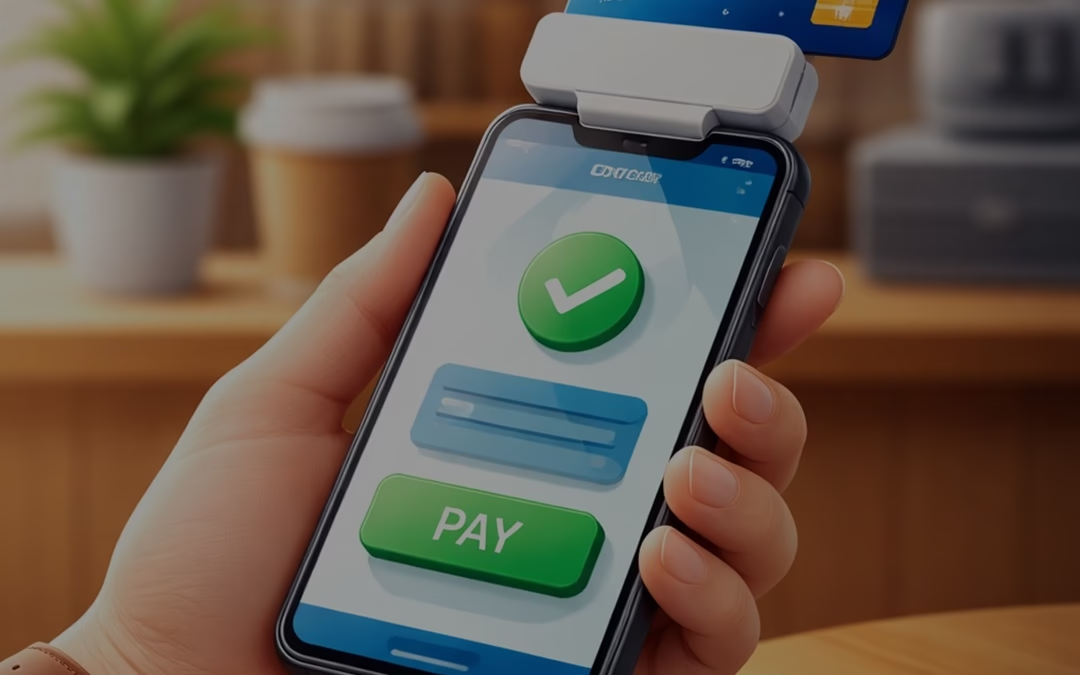
Tap to Pay (NFC technology): Accept contactless payments directly on your phone.
Mobile card readers: Connect a small device to accept chip or swipe payments.
With the right mobile payment app, you can process transactions anywhere, whether you’re at a client site, running a pop-up shop, or managing deliveries.
How to Accept Credit Card Payments on Your Phone
Getting started is easier than you might imagine. Follow these steps:
1. Get a Merchant Account
To accept card payments, you need a merchant account. It acts as the bridge between your business, your customer’s bank, and your own bank account.
You can choose between:
Payment Service Providers (PSPs): Quick setup, shared accounts (ideal for beginners).
Dedicated merchant accounts: More control, better pricing, and enhanced stability for growing businesses.
Look for a provider that offers:
Strong security features
Mobile payment support
Chargeback protection
Reliable customer support
2. Choose How You’ll Accept Payments
There are several ways to accept credit card transactions on your phone. Pick the option that best suits your company plan:
Mobile Card Readers
These devices connect to your phone via Bluetooth or cable and allow you to accept:
Chip cards
Swipe cards
Contactless payments
They often come with POS Apps that help manage inventory, send receipts, and track sales.
Virtual Terminals
A virtual terminal lets you manually enter card details, perfect for:
Phone orders
Remote payments
Service-based businesses
This is especially useful when the customer’s card isn’t physically present.
Mobile POS (mPOS)
mPOS devices are all-in-one handheld systems that:
Accept payments
Store transaction data
Generate receipts
They don’t require a separate smartphone, making them a compact alternative to traditional POS systems.
Tap to Pay
Tap to Pay allows your smartphone to accept contactless transactions using built-in NFC technology.
No extra hardware required, just your phone and an app.
It supports:
Contactless cards
Mobile wallets
Wearable devices
QR Code Payments
QR codes offer a simple, contactless payment option.
Here’s how it works:
Customer scans the QR code
Redirects to a payment page
Completes payment via card or wallet
This method is widely used in retail, Restaurants,, and service industries.
3. Set Up Your Hardware and Software
Once your merchant account is approved:
Download your provider’s mobile payment app
Connect your card reader (if using one)
Configure your payment settings
Test a transaction
Some apps also allow you to:
Send digital receipts
Track sales in real time
Manage products and services
Setup is usually quick, and many providers offer onboarding support to help you get started.
What Do You Need to Accept Payments on Your Phone?
Before you begin, make sure you have the following essentials:
A Smartphone
Any modern iOS or Android device works. Most newer phones support NFC for contactless transactions.
A Payment Processor or Merchant Account
This service:
Authorizes transactions
Transfers funds securely
Handles payment processing
A Mobile Payment App
This is what turns your phone into a Payment Terminal.
Features may include:
Tap to Pay
Virtual terminal
Invoicing tools
Payment links
A Mobile Card Reader (Optional)
While not required, it adds flexibility by allowing chip and swipe transactions.
Benefits of Accepting Credit Card Payments by Phone
Switching to mobile transactions comes with several advantages:
Convenience for Customers
Customers can pay instantly, with no need for cash or delays. Whether it’s tableside billing or doorstep delivery, payments become seamless.
Flexibility for Businesses
Mobile payments are perfect for:
Freelancers
Contractors
Delivery services
Event vendors
You can accept transactions anywhere with network access.
Better Tracking and Reporting
Mobile payment systems automatically record:
Transactions
Refunds
Customer data
This makes accounting and performance tracking much easier.
Enhanced Security
Modern payment apps include:
Encryption technology
Tokenization
Secure authentication
This ensures sensitive card data is protected during every transaction.
Best Practices for Mobile Credit Card Payments
To keep your payment process smooth and secure:
Use a trusted, PCI-compliant payment provider
Keep your app and phone updated
Enable screen locks and security features
Avoid using public Wi-Fi for transactions
Regularly monitor transactions for suspicious activity
Why Choose SelectivePay?
Selective Pay stands out as a trusted payment solutions provider, offering businesses seamless, secure, and cost-effective ways to accept payments. With advanced mobile payment technology, flexible integration options, and dedicated customer support, it helps streamline transactions and improve cash flow. Its focus on security, transparency, and scalability makes Selective Pay an ideal partner for businesses looking to grow efficiently.
Final Thoughts
Accepting Credit Card Payments on your phone is no longer a luxury; it’s a necessity in today’s fast-moving, digital-first economy. With just a smartphone, a payment app, and (optionally) a card reader, you can turn any location into a checkout counter. Whether you’re running a small business, freelancing, or scaling operations, Mobile Transactions offer the flexibility and convenience modern customers expect. The first step is choosing the right payment provider. Once you’re set up, you’ll be ready to accept payments anytime, anywhere, and grow your business with ease.
In today’s digital-first economy, payment processing is the backbone of every successful business, whether you run an eCommerce store, SaaS platform, or brick-and-mortar shop. Before diving into the differences between front-end and back-end payment processing, it’s important first to understand what Payment Processing Services actually mean.
Simply put, it refers to the series of steps that enable a business to accept and complete transactions made through credit or debit cards, including authorisation and fund transfer.
Let’s break it down.
What Is Payment Processing?
It is the complete sequence of steps that allows businesses to accept electronic payments such as credit cards, debit cards, and digital wallets. It connects customers, merchants, banks, and payment networks to securely transfer funds.
From authorisation to settlement, the process takes just a few seconds but involves multiple systems working together behind the scenes.
What Is Front-End Payment Processing?
You’re operating a record store, and you’re about to make a sale of the latest hit album. You ring up the record, and the customer decides to pay with their credit card.
Once the customer inserts their card into your Point-Of-Sale System, their information gets routed from the merchant to the payment processor to verify the sale. This is front-end payment processing.
Key Functions:
Captures customer payment details
Encrypts sensitive data for security
Sends transaction data
Initiates authorization requests
In simple terms, front-end processing is the “face” of the transaction, everything the customer sees and interacts with.
Role of Payment Gateways
At the heart of front-end processing is the Payment Gateway. It acts as a secure bridge between the customer and the payment processor by encrypting data and ensuring safe transmission.
For example, when a customer clicks “Pay Now” on your website, the gateway instantly sends encrypted data for verification.
What Is Back-End Payment Processing?
It happens behind the scenes after the transaction is initiated.
It ensures the transaction is verified, approved, and completed successfully.
Key Functions:
Communicates with card networks (Visa, Mastercard, etc.)
Verifies funds with the issuing bank
Sends approval or decline response
Transfers funds to the merchant’s account
This stage involves multiple entities, such as issuing banks, acquiring banks, and payment networks, working together to complete the transaction.
In short, back-end processing is the “engine” that powers the transaction.
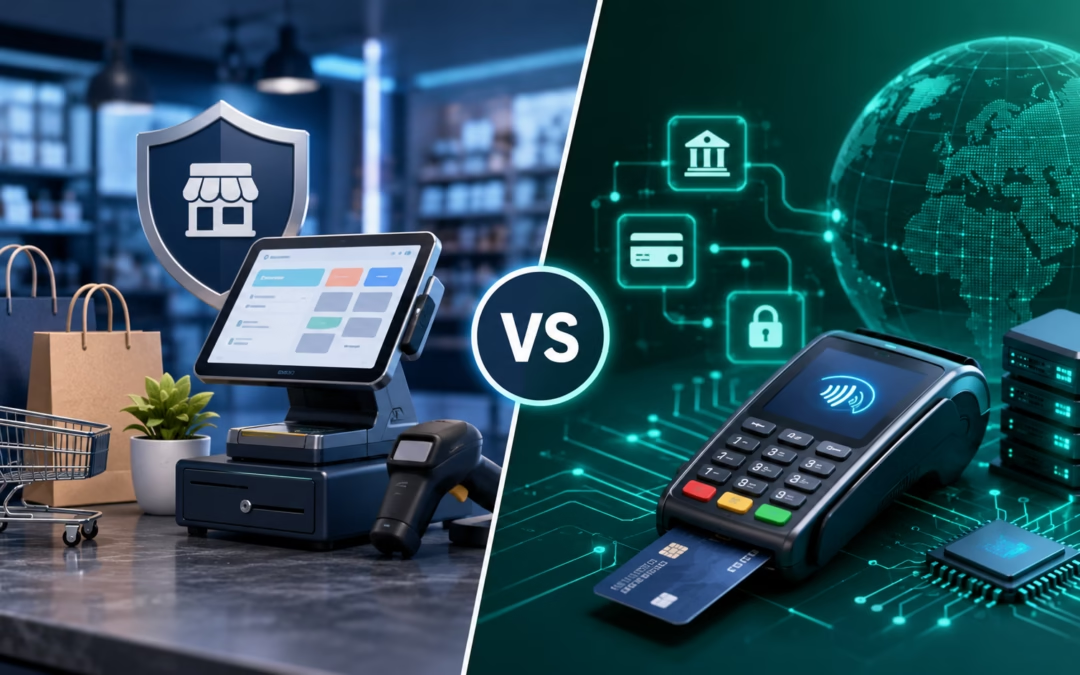
Front-End vs Back-End Payment Processing: Key Differences
Feature
Front-End Processing
Back-End Processing
Visibility
Customer-facing
Behind-the-scenes
Main Role
Data collection & initiation
Authorization & settlement
Key Tools
Payment gateway, POS
Banks, card networks
Speed
Instant (user interaction)
A few seconds for approval
Focus
User experience & security
Accuracy & fund transfer
How It Works Together
A successful transaction requires both systems to function seamlessly.
Here’s how the process typically works:
Customer initiates payment
Front-end collects and encrypts data
The payment gateway sends data to the processor
Back-end contacts card network and issuing bank
The bank approves or declines the transaction
The response is sent back to the merchant
Funds are settled into the merchant account
This entire process usually takes just 2–3 seconds, showcasing how efficient modern systems have become.
Why This Difference Matters for Businesses
Understanding it isn’t just technical knowledge; it directly impacts your business performance.
1. Better Customer Experience
A smooth front-end ensures fast checkout, reducing cart abandonment.
2. Stronger Security
Secure front-end gateways and robust back-end verification reduce fraud risks.
3. Faster Payments
Efficient back-end processing ensures quicker approvals and settlements.
4. Scalability
A well-integrated system allows your business to handle more transactions seamlessly.
Common Challenges in Payment Processing
Even with advanced systems, businesses may face:
Slow transaction approvals
Poor user interface on checkout pages
Security vulnerabilities
Integration issues between systems
This is why choosing the right partner is critical.
How SelectivePay Simplifies Payment Processing
At SelectivePay, we provide end-to-end Payment Gateway solutions that seamlessly connect front-end and back-end systems.
What You Get:
Secure and user-friendly gateways
Fast and reliable transaction processing
Advanced fraud protection
Scalable solutions for growing businesses
Whether you’re a startup or an enterprise, SelectivePay ensures your infrastructure is both efficient and secure.
Final Thoughts
Front-end and back-end payment processing are two sides of the same coin. While the front-end focuses on delivering a smooth and secure user experience, the back-end ensures transactions are verified, processed, and completed accurately. To build a successful payment system, businesses must ensure both components are well-integrated, secure, and optimised for performance.