When it comes to mobile payments, customers expect convenience as the status quo. In fact, in 2025, offering customers the ability to use their preferred payment method is cited as one of the top drivers of purchase decisions across channels, highlighting just how important flexibility has become in modern commerce.
For many small businesses, freelancers, and on-the-go professionals, investing in a full-scale POS system isn’t always practical. Limited space, budget constraints, or mobility needs can make traditional setups challenging. The good news? Your smartphone can now double as a powerful payment tool.
In this guide, we’ll walk you through how to accept Credit Card Payments on your phone, explore different mobile payment methods, and highlight the benefits and best practices to help you get started quickly and securely.
Can I Use My Phone to Accept Credit Card Payments?
Yes, absolutely.
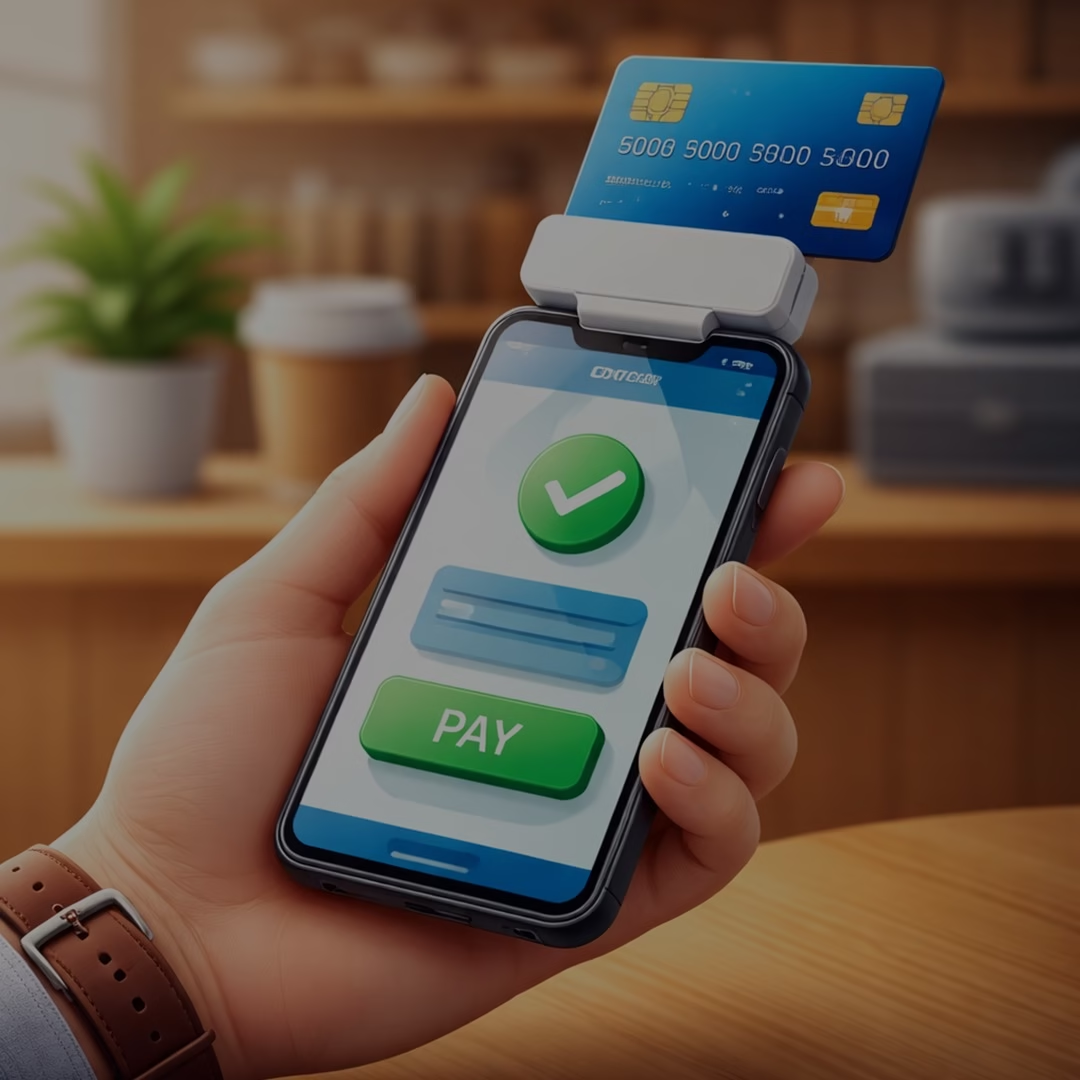
Today’s smartphones can function as mini payment terminals in two main ways:
- Tap to Pay (NFC technology): Accept contactless payments directly on your phone.
- Mobile card readers: Connect a small device to accept chip or swipe payments.
With the right mobile payment app, you can process transactions anywhere, whether you’re at a client site, running a pop-up shop, or managing deliveries.
How to Accept Credit Card Payments on Your Phone
Getting started is easier than you might imagine. Follow these steps:
1. Get a Merchant Account
To accept card payments, you need a merchant account. It acts as the bridge between your business, your customer’s bank, and your own bank account.
You can choose between:
- Payment Service Providers (PSPs): Quick setup, shared accounts (ideal for beginners).
- Dedicated merchant accounts: More control, better pricing, and enhanced stability for growing businesses.
Look for a provider that offers:
- Strong security features
- Mobile payment support
- Chargeback protection
- Reliable customer support
2. Choose How You’ll Accept Payments
There are several ways to accept credit card transactions on your phone. Pick the option that best suits your company plan:
Mobile Card Readers
These devices connect to your phone via Bluetooth or cable and allow you to accept:
- Chip cards
- Swipe cards
- Contactless payments
They often come with POS Apps that help manage inventory, send receipts, and track sales.
Virtual Terminals
A virtual terminal lets you manually enter card details, perfect for:
- Phone orders
- Remote payments
- Service-based businesses
This is especially useful when the customer’s card isn’t physically present.
Mobile POS (mPOS)
mPOS devices are all-in-one handheld systems that:
- Accept payments
- Store transaction data
- Generate receipts
They don’t require a separate smartphone, making them a compact alternative to traditional POS systems.
Tap to Pay
Tap to Pay allows your smartphone to accept contactless transactions using built-in NFC technology.
No extra hardware required, just your phone and an app.
It supports:
- Contactless cards
- Mobile wallets
- Wearable devices
QR Code Payments
QR codes offer a simple, contactless payment option.
Here’s how it works:
- Customer scans the QR code
- Redirects to a payment page
- Completes payment via card or wallet
This method is widely used in retail, Restaurants,, and service industries.
3. Set Up Your Hardware and Software
Once your merchant account is approved:
- Download your provider’s mobile payment app
- Connect your card reader (if using one)
- Configure your payment settings
- Test a transaction
Some apps also allow you to:
- Send digital receipts
- Track sales in real time
- Manage products and services
Setup is usually quick, and many providers offer onboarding support to help you get started.
What Do You Need to Accept Payments on Your Phone?
Before you begin, make sure you have the following essentials:
A Smartphone
Any modern iOS or Android device works. Most newer phones support NFC for contactless transactions.
A Payment Processor or Merchant Account
This service:
- Authorizes transactions
- Transfers funds securely
- Handles payment processing
A Mobile Payment App
This is what turns your phone into a Payment Terminal.
Features may include:
- Tap to Pay
- Virtual terminal
- Invoicing tools
- Payment links
A Mobile Card Reader (Optional)
While not required, it adds flexibility by allowing chip and swipe transactions.
Benefits of Accepting Credit Card Payments by Phone
Switching to mobile transactions comes with several advantages:
Convenience for Customers
Customers can pay instantly, with no need for cash or delays. Whether it’s tableside billing or doorstep delivery, payments become seamless.
Flexibility for Businesses
Mobile payments are perfect for:
- Freelancers
- Contractors
- Delivery services
- Event vendors
You can accept transactions anywhere with network access.
Better Tracking and Reporting
Mobile payment systems automatically record:
- Transactions
- Refunds
- Customer data
This makes accounting and performance tracking much easier.
Enhanced Security
Modern payment apps include:
- Encryption technology
- Tokenization
- Secure authentication
This ensures sensitive card data is protected during every transaction.
Best Practices for Mobile Credit Card Payments
To keep your payment process smooth and secure:
- Use a trusted, PCI-compliant payment provider
- Keep your app and phone updated
- Enable screen locks and security features
- Avoid using public Wi-Fi for transactions
- Regularly monitor transactions for suspicious activity
Why Choose SelectivePay?
Selective Pay stands out as a trusted payment solutions provider, offering businesses seamless, secure, and cost-effective ways to accept payments. With advanced mobile payment technology, flexible integration options, and dedicated customer support, it helps streamline transactions and improve cash flow. Its focus on security, transparency, and scalability makes Selective Pay an ideal partner for businesses looking to grow efficiently.
Final Thoughts
Accepting Credit Card Payments on your phone is no longer a luxury; it’s a necessity in today’s fast-moving, digital-first economy. With just a smartphone, a payment app, and (optionally) a card reader, you can turn any location into a checkout counter. Whether you’re running a small business, freelancing, or scaling operations, Mobile Transactions offer the flexibility and convenience modern customers expect. The first step is choosing the right payment provider. Once you’re set up, you’ll be ready to accept payments anytime, anywhere, and grow your business with ease.